Step. 1: Create Account
To get started, simply navigate to RapidCaptcha.
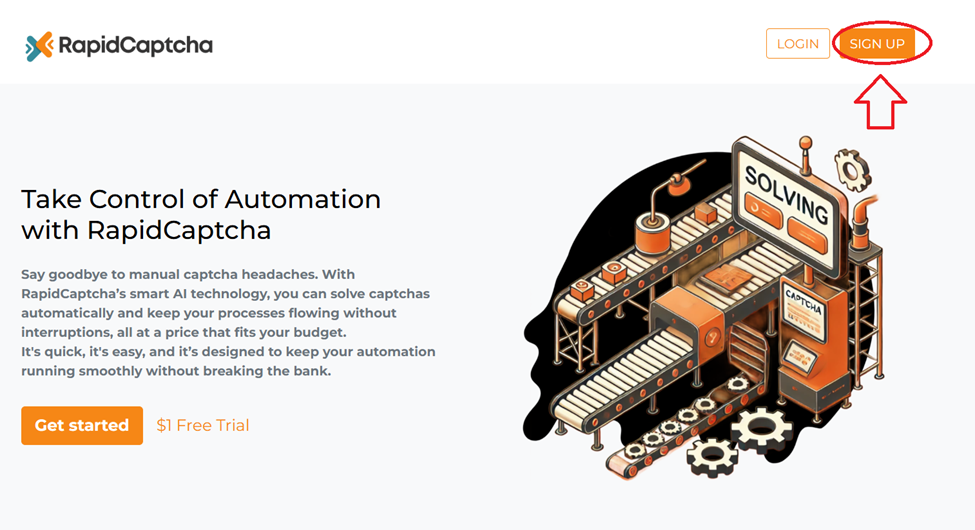
1. Visit the homepage and click on the "SIGN UP" option
2. From there, you can type in your email address and password to begin setting up your account.
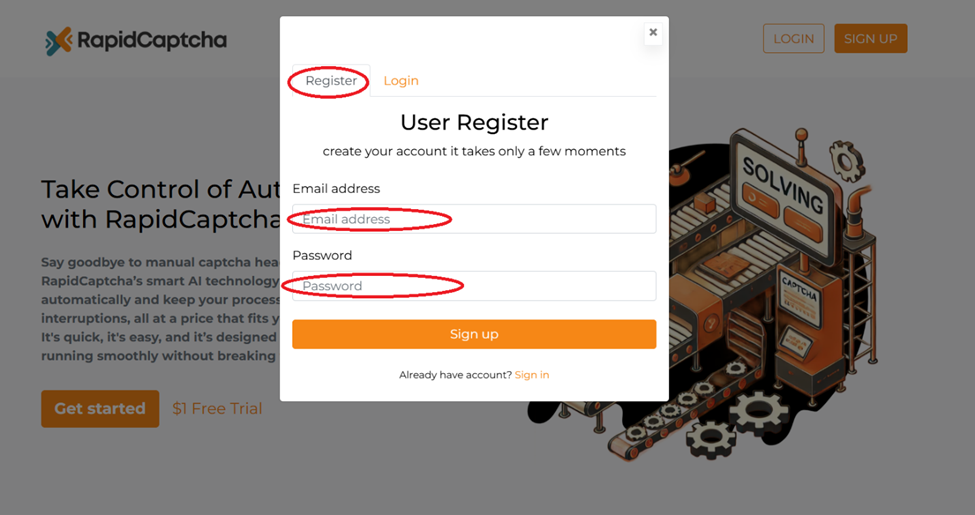
After that, we'll send you a verification email to your inbox.
Once you've confirmed your account, you can check out our Captcha services or go to your Dashboard to view your account and other details.
Step. 2: Get your API Key
After your registration, access your API key from your Dashboard.

Step. 3: How to use my key?
Our services Can be easily integrated with any programs and scripts which require captcha recognition. Explore various integration options for RapidCaptcha, pick the method that best suits your needs.
Connect to a supported program
- If your Software/Bot supports RapidCaptcha as Captcha options, it will be easy to integrate. Just Choose RapidCaptcha and add your API Key, then run the software.
Connecting to other programs in 3 steps:
-
In your program, select one of the captcha solvers that we support: 2Captcha
-
Then specify your API key for RapidCaptcha in the relevant field in your program from which you will send captchas.
-
Last step: match our IP with another service so RapidCaptcha can get captchas from the aforementioned services. For that, select your operating system, and follow the instructions found in the link below:
https://rapidcaptcha.com/api.php#ocr-endpoint#ocr-endpointIf you continue to experience challenges with integration, our support agents are ready to assist you. Feel free to reach out through our internal chat or ticket system for help.